

Connect & Measure · Zeya Digital Twin
Ask your AI assistant about your clinic, not just about medicine.
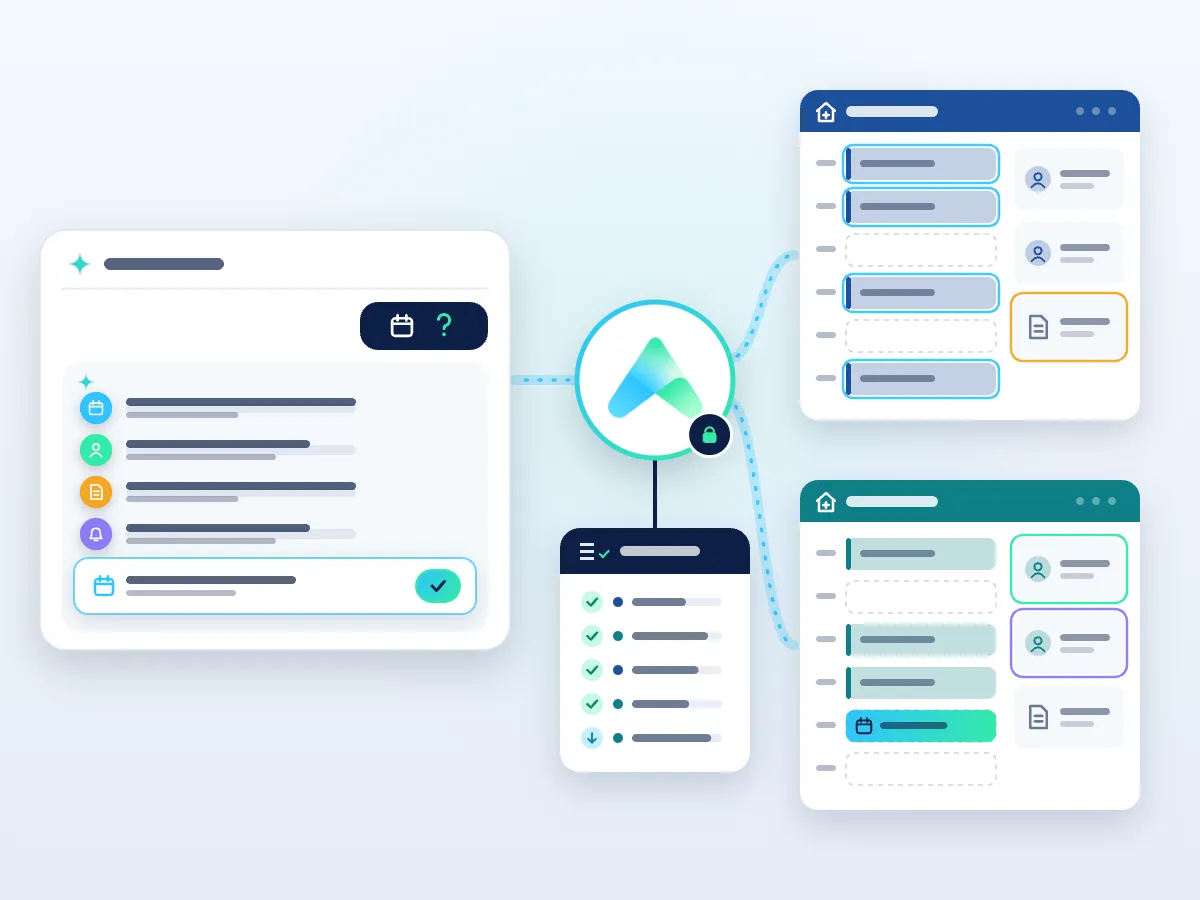
Digital Twin is a secure layer over your EMR. It's how every Zeya module reads your diary and writes bookings back. It can also connect the AI assistants your team already uses (ChatGPT, Claude and Microsoft Copilot), so you can ask about today's schedule, overdue patients or branch numbers in plain language.
- One connection to your EMR powers every Zeya module
- Read-only by default; write actions need approval
- Encryption, strict access controls and full audit logging
Ask about your clinic. The answer comes from your EMR.
Your diary, patient records and forms sit in your EMR, sometimes in a different system at each branch. Digital Twin connects to each one once. Ask your AI assistant to prep your day and the answer comes from live data, within the access you set. Bookings are written back only after you approve them, and every read and write is logged.
Use cases
What clinics ask Digital Twin
"Prep my day"For: Specialists and clinic owners
Problem: Starting the day means clicking through the diary, notes and outstanding tasks.
What Zeya does: Ask your assistant to prep your day. It pulls today's schedule, new patients, outstanding forms and follow-ups from your EMR into one short brief.
"Who's overdue?" Then recall themFor: Physio, dental and aesthetics clinics
Problem: Finding patients who haven't rebooked means running reports and building lists by hand.
What Zeya does: Ask who hasn't rebooked since their last visit. Review the list, approve it, and Engine sends the recall.
Your group's numbers, one question awayFor: Clinic groups
Problem: Comparing branches means exporting reports from each one.
What Zeya does: Ask for bookings, utilisation or revenue by branch this month, and get the answer from live data across every location.
Pre-visit summaryFor: Specialist clinics
Problem: Before a consultation, the referral letter, forms and past visits are in different places.
What Zeya does: Ask for a summary of the patient's past visits, referral letter and forms on file before they arrive. Your clinician decides what matters.
One layer across mixed EMRsFor: Clinic groups running more than one system
Problem: Branches that joined the group at different times run different EMRs, for example Cliniko at one and Plato at another, so nothing adds up across them.
What Zeya does: Each system connects once to Digital Twin. Every Zeya module, report and assistant question then works across all of them.
Book or reschedule in plain languageFor: Clinic owners and managers
Problem: Small diary changes mean logging in, searching and clicking through screens.
What Zeya does: Ask your assistant to book or move an appointment. Read-only by default; write actions need approval, so the change is written to your EMR only after you approve it.
The layer under every Zeya module
Connect your EMR once. Every module reads from it and writes back to it.
-
Text and Voice Agents
Check real availability and write bookings, reschedules and cancellations back to your EMR.
-
Engine
Reads visit history to know who is due for a recall, reminder or follow-up.
-
Tempo
Turns the roster into the slots patients can book.
-
Lens
Saves approved fields from referral letters, forms and reports to the patient record.
-
Analytics
Matches each enquiry to its booking, attended visit and revenue.
-
Your AI assistant
Answers questions about your clinic from live data, within the access you set.
How it works
How it works
Your dedicated team sets it up with you.
Connect your EMR
Once, even if your branches run different systems.
Set what each person can see
Access is scoped by role and branch, within strict access controls.
Connect your assistant
Your team connects the AI assistant they already use, with the access you set.
Ask
Questions are answered from live data. Changes follow your approval rules. Every read and write is logged.
Integrations
Connects to your EMR

- AcuityBooking & calendar
 AoiKumoDental
- Best PracticeClinic EMR
 ClinikoAllied health
 Dr AssistClinic EMR
- DrPartnersDental
- EpicHospital
- Google CalendarBooking & calendar
- HalaxyAllied health
 KumodentDental
 PhorestAesthetics
 PlatoClinic EMR
 SGiMEDClinic EMR
 ZandaAllied health
Not listed? Ask us about your system, including custom deployments. Integrations →
Trust & security
Security built in from the first connection
- EMR credentials are never shared with AI assistants.
- Read-only by default; write actions need approval.
- Encryption, strict access controls and full audit logging: every read and write through Digital Twin is logged.
- Clinic and patient data is not used to train AI models.
- Data processing agreement available.
- Zeya is built to comply with Singapore's and Malaysia's Personal Data Protection Acts (PDPA), the Australian Privacy Act, GDPR, and HIPAA. Its security controls align with ISO 27001 and SOC 2.
- Data is hosted in Singapore, Vietnam, and Australia. Hosting in other regions is available on request.
FAQ
Frequently asked questions
Which AI assistants can Digital Twin connect to?
ChatGPT, Claude and Microsoft Copilot. Ask us about the assistant your team uses.
Does the AI assistant see our EMR password?
EMR credentials are never shared with AI assistants. Digital Twin holds the connection to your EMR, and the assistant only receives the answers it is allowed to see.
Can the assistant change patient records?
Read-only by default; write actions need approval. Every change, such as a booking or reschedule, is logged with who approved it.
Is our data used to train AI models?
Clinic and patient data is not used to train AI models.
Do we need Digital Twin to use the other modules?
Every Zeya module uses Digital Twin to read from and write to your EMR. Connecting your own AI assistant is optional.
How much does it cost?
Pricing depends on your modules, EMRs and number of locations, and is shared after a short qualification chat. Get pricing.